Italiano · Support
Sgocciola — Press kit
Materials for editors. Last updated: September 2026 (version 1.2).
- Name
- Sgocciola
- App Store
- apps.apple.com/app/id6802640538
- Developer
- Andrea Breda
- Price
- Free — no ads, no in-app purchases, no subscription
- Category
- Lifestyle — rated 4+
- Platforms
- iPhone and iPad, iOS / iPadOS 26 or later
- Languages
- Italian, English, Spanish, German, French, Dutch, Japanese, Brazilian Portuguese
- Privacy
- No data collected, no account
- Contact
- donbreda4@gmail.com
What it is
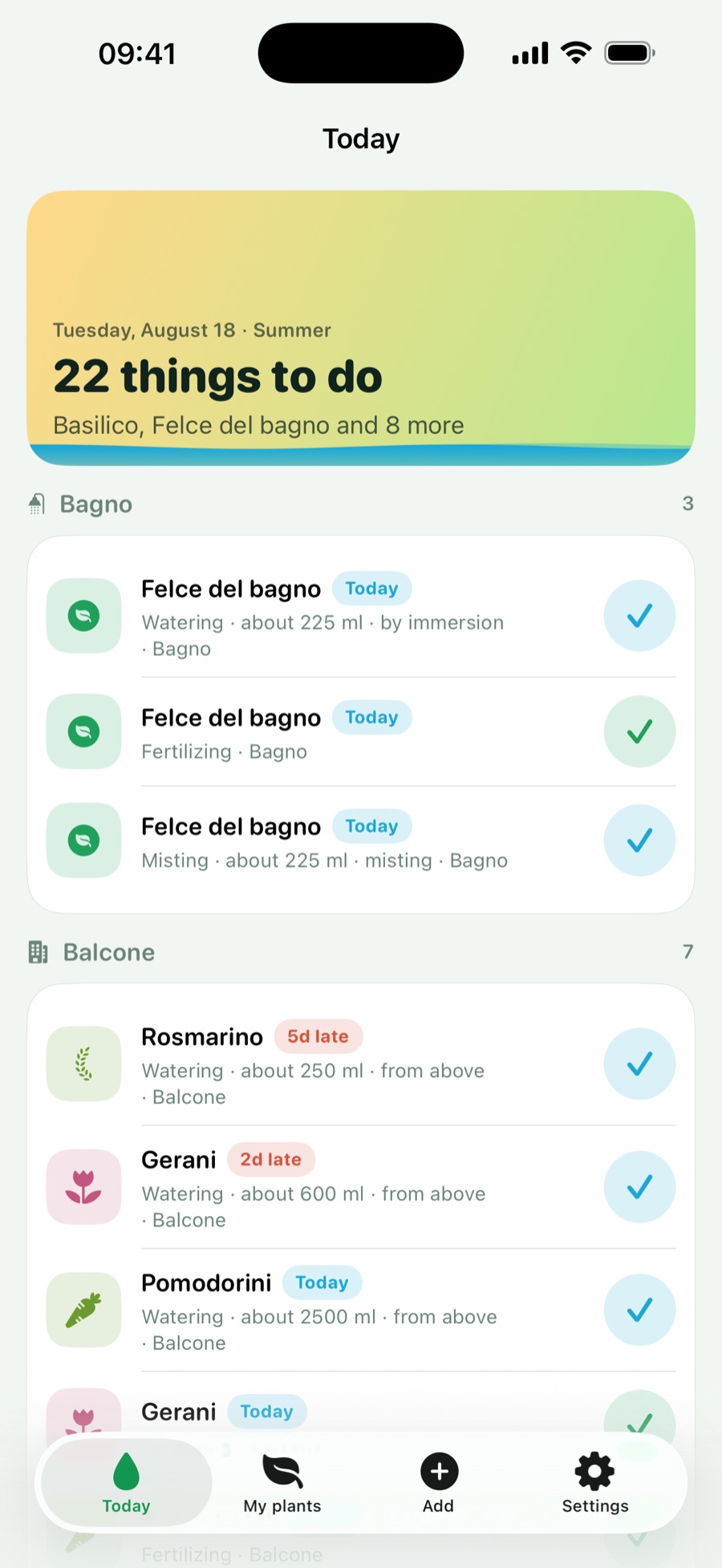
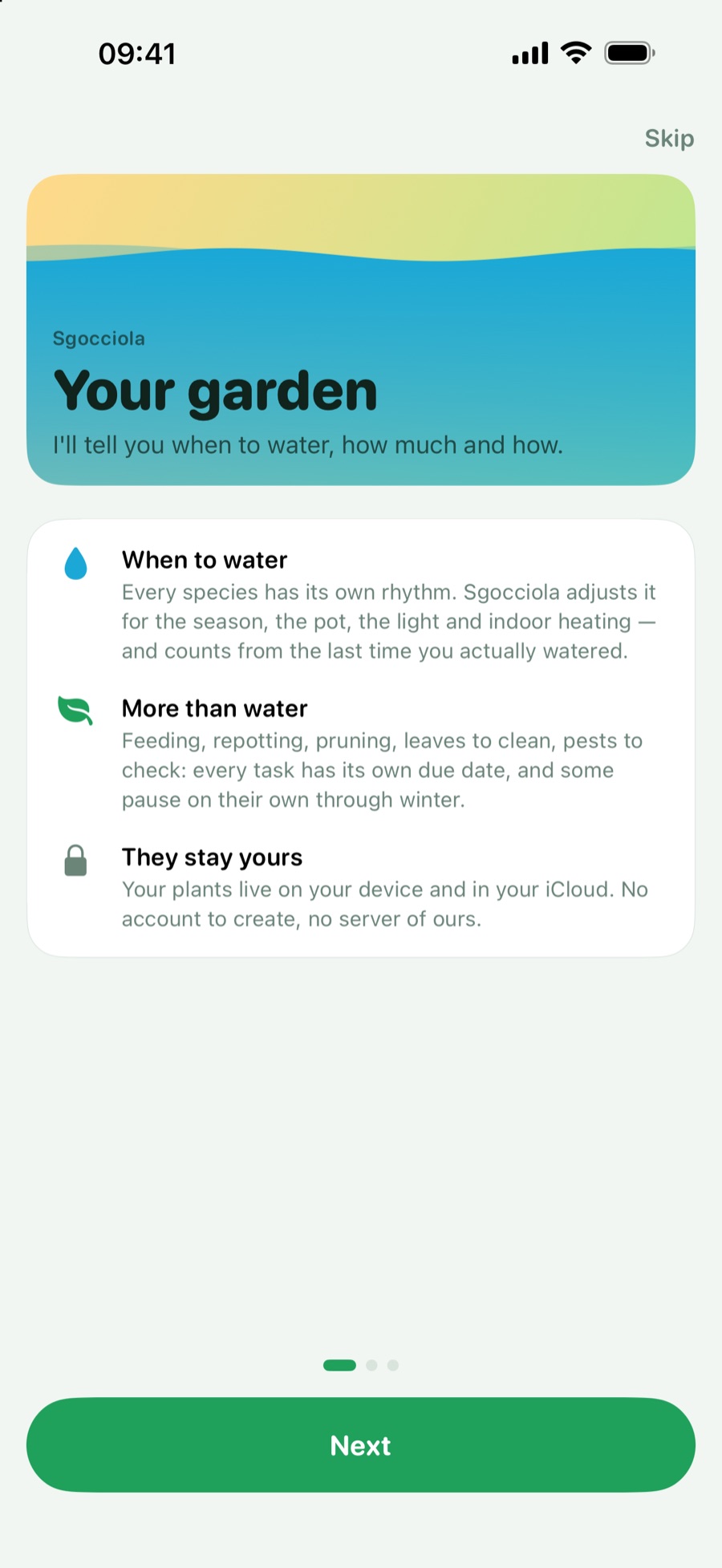
Sgocciola tells you when to water your plants, how much water to give and how to give it —
and along with the water, everything else a plant asks for and nobody remembers: fertilizer,
repotting, pruning, rotating the pot, cleaning the leaves, pest checks, misting, seasonal
moves, drainage.
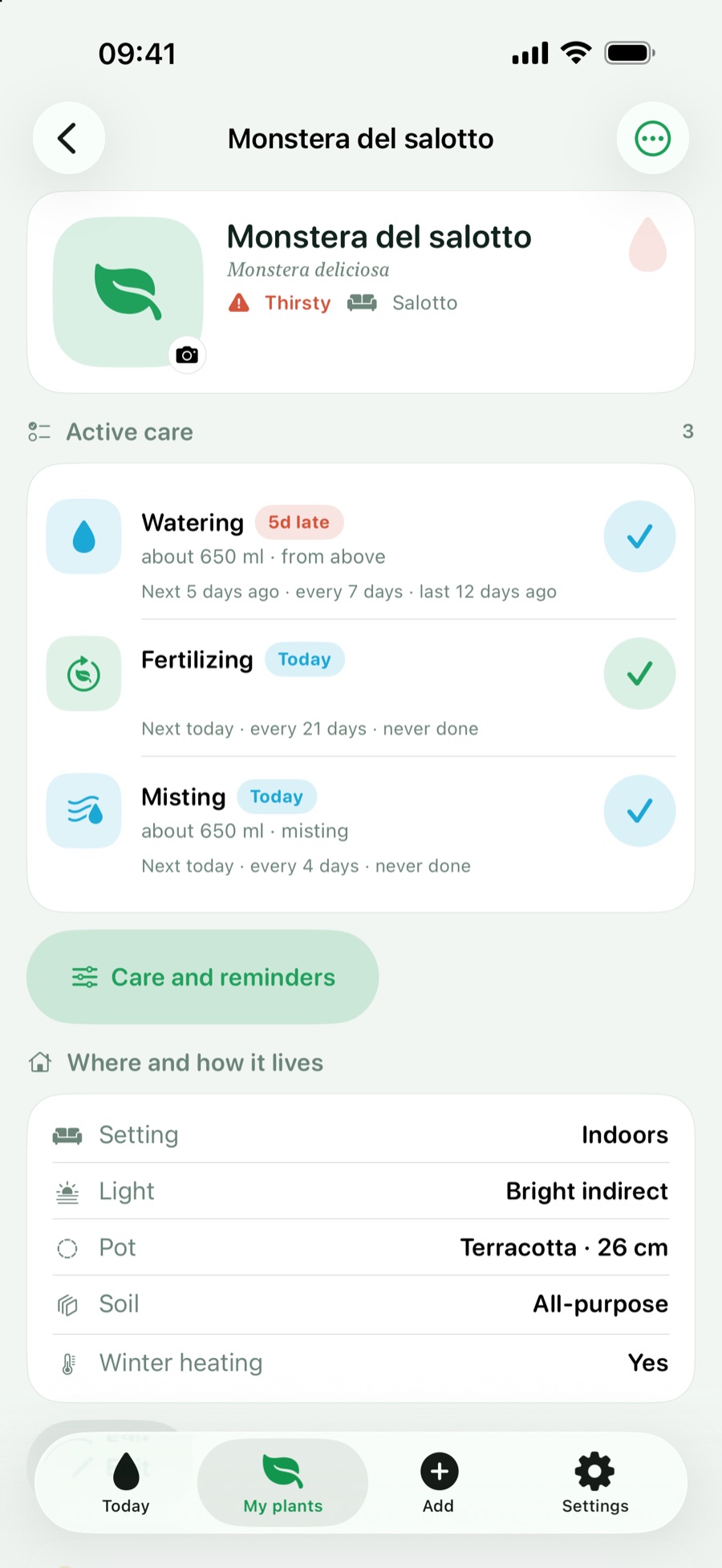
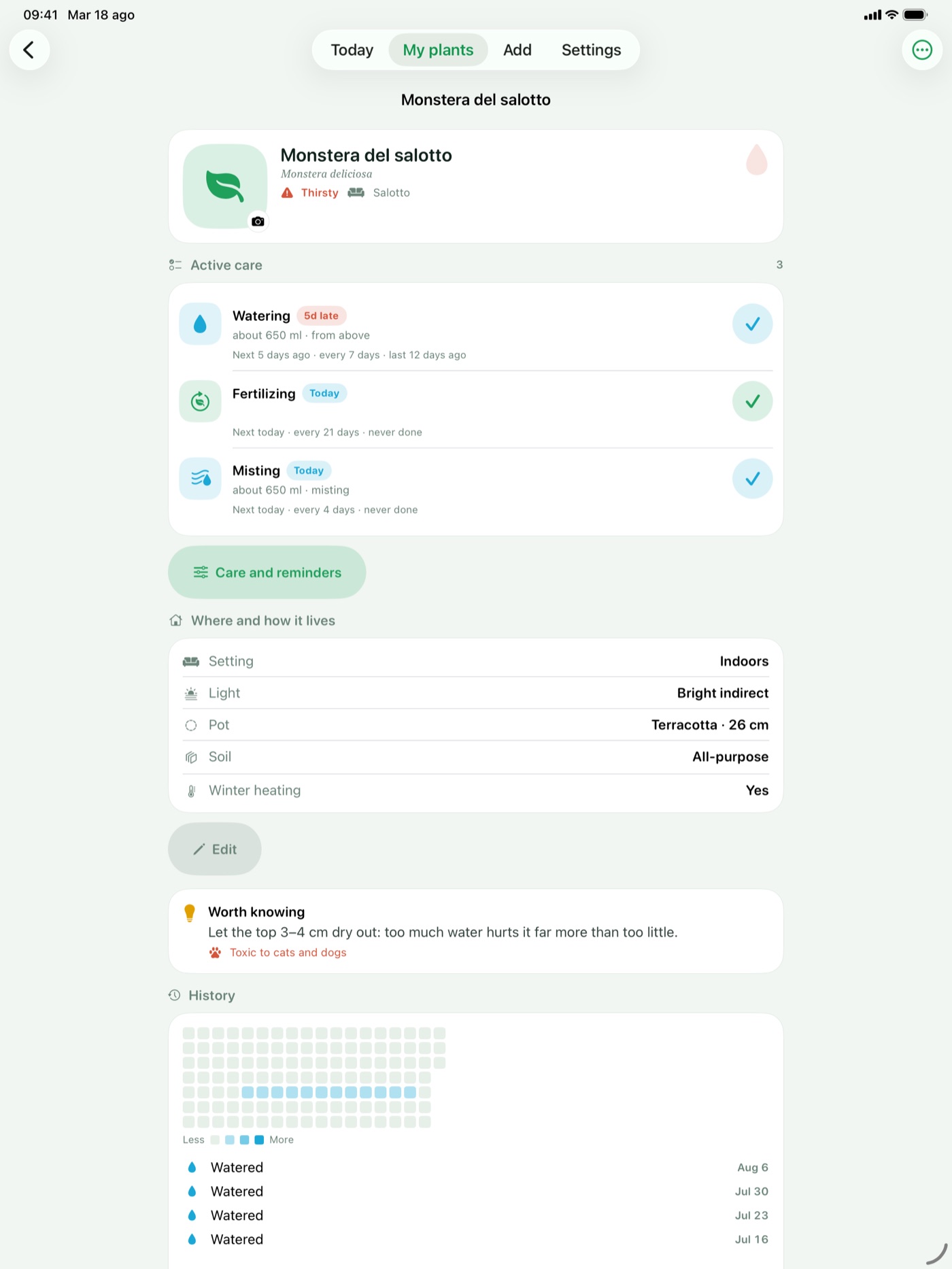
It is not a reminder that repeats every seven days. The interval starts from the species,
then gets corrected by what actually changes: the season, winter dormancy, the material and
diameter of the pot, light exposure, the soil, the heating you have on indoors. A monstera in a
terracotta pot by the window in February is not as thirsty as the same plant in July, and the
app knows it.
How it thinks
- The due date follows the last real watering, not the calendar: water
early and the next round moves forward, skip one and nothing piles up.
- Late only when it really is late: there is a tolerance proportional to
the interval, because one day on a two-week cycle is not an emergency.
- Less water and no fertilizer in winter: during dormancy the interval
stretches and feeding pauses on its own.
- Your seasons, not someone else's: in the southern hemisphere January is
summer, and dormancy, feeding and repotting follow the right calendar.
What's inside
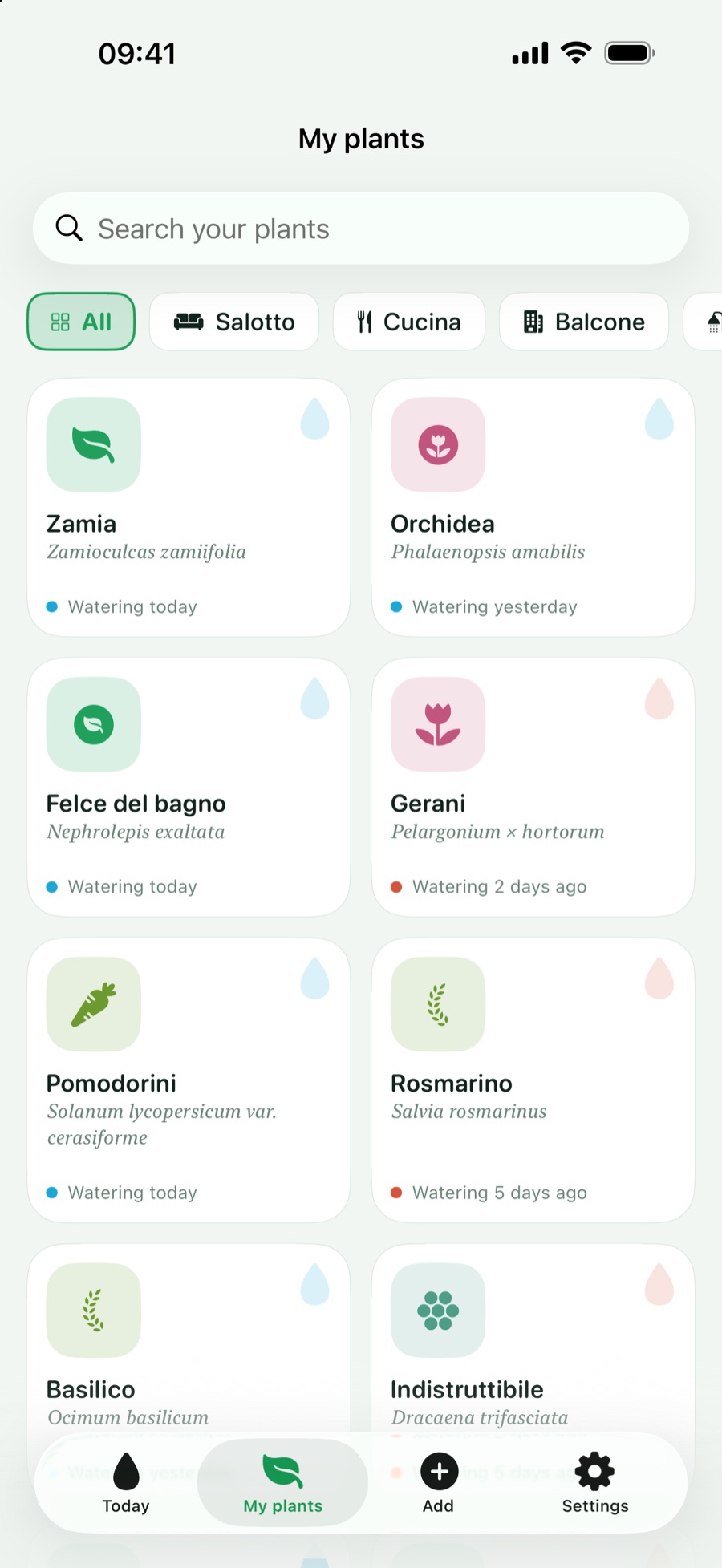
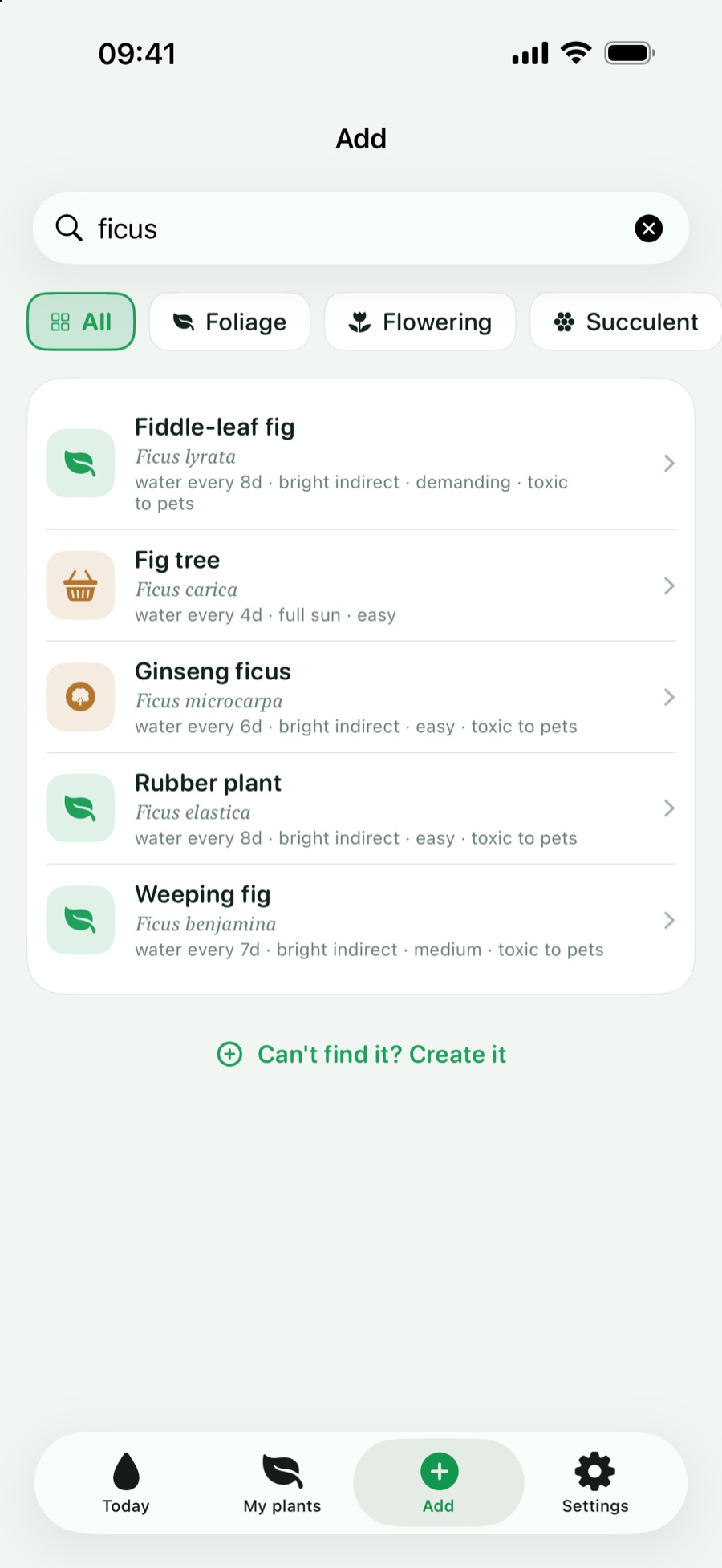
- 218 species with their care settings already filled in, searchable by
common name, botanical name or synonym in eight languages;
- ten kinds of care, each on its own schedule — you turn on only the ones
you need;
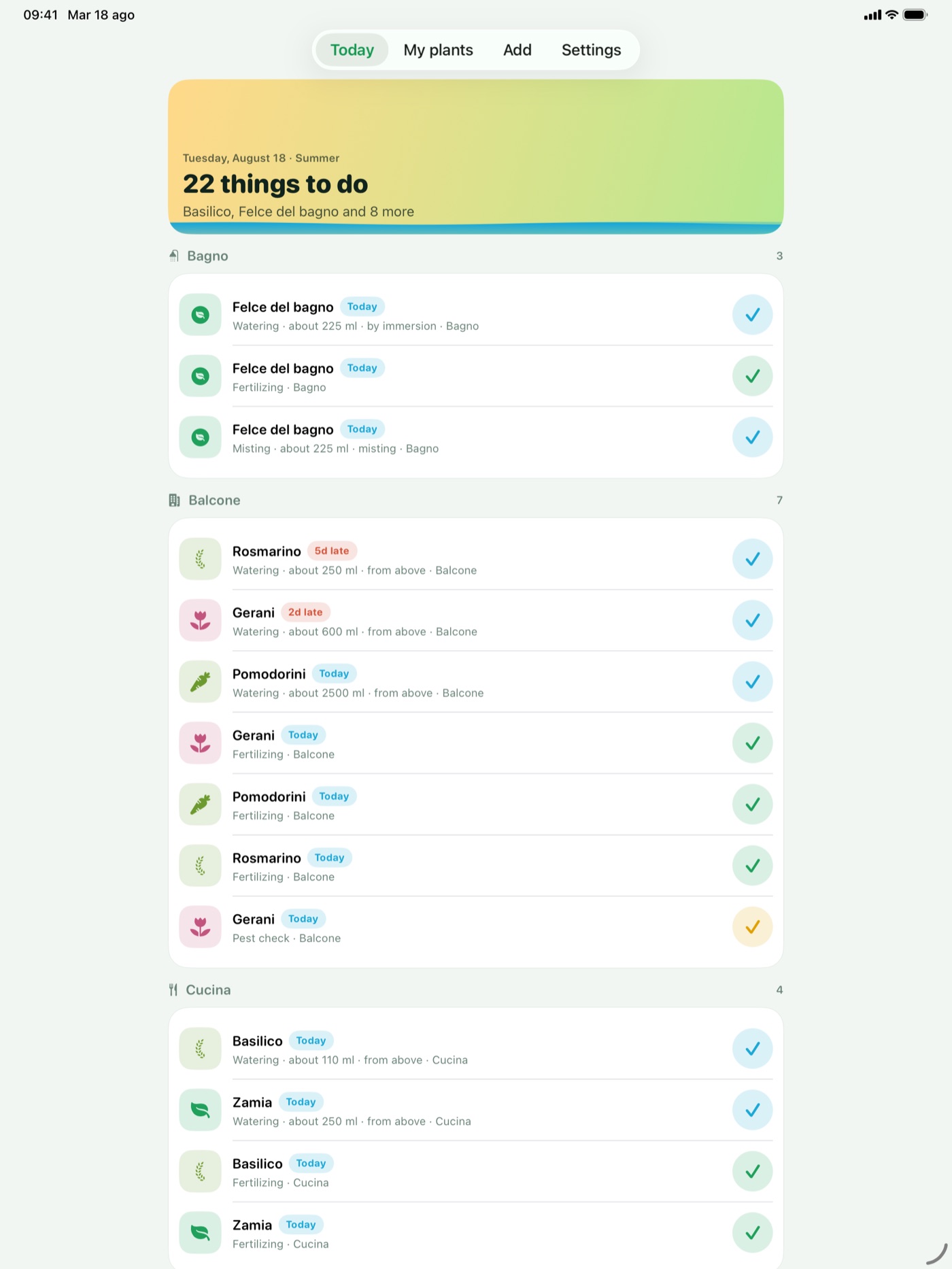
- notifications that do the work: Done, Snooze, Skip right from the
notification, without opening the app, and a single notification even when eight plants
are thirsty;
- widgets on the Home Screen and the Lock Screen, and
Siri to ask what needs doing today or to say you have just watered;
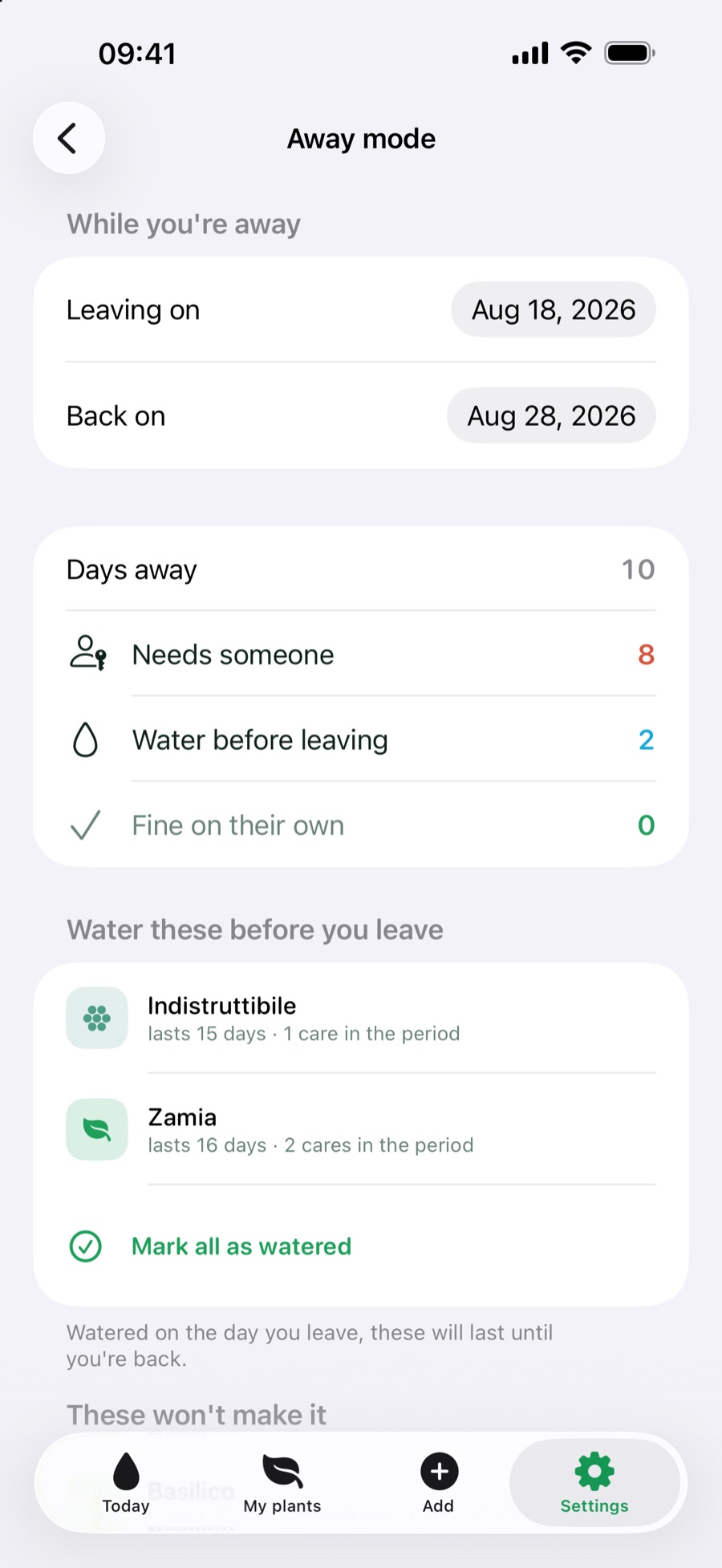
- holiday mode: before you leave, it tells you which plants will not make
it to your return and what is worth doing before you close the door;
- rooms, so the steamy bathroom and the south-facing sill stay apart;
- photos of your plants and a photo diary of their care;
- export of everything as CSV or JSON.
New with iOS 27: what plant is this?
On iPhone and iPad with iOS 27 and Apple Intelligence, the Add tab can take a photo of a
plant you cannot name. Recognition runs on Apple's on-device model: the photo
never leaves the phone. The app suggests and does not decide — it shows the candidate species
and asks you to check; if the catalogue only knows the suggested genus, it opens a search on
that genus instead of picking a species on your behalf.
Privacy
No account, no developer server, no ads, no tracking, no third-party libraries. Plants live
on the device and, if you want, sync between your own devices through your private iCloud. The
App Store listing says “Data Not Collected”.
Accessibility
Dynamic Type at every size, VoiceOver and Reduce Motion supported throughout: wherever there
is a swipe, there is always a visible button too.
Apple technologies
Built entirely in SwiftUI, data in SwiftData synced to the private CloudKit database,
WidgetKit, App Intents for Siri and Shortcuts, actionable local notifications, Foundation
Models for photo recognition on iOS 27. No third-party dependencies.
Images
Icon, 1024 × 1024 px
iPhone
iPad
Need full-resolution images or anything else? Just write to
donbreda4@gmail.com.
© 2026 Andrea Breda